What the Studio mixes, and what it does not
The Studio mixes one vocal take with one instrumental. The instrumental can be your own file (MP3, WAV or M4A up to 15 MB, after you confirm you have the rights) or a free pattern from its drum machine. The vocal is recorded right there over the beat, because recording on the same timeline is what lets it measure your delay and line the take up afterwards.
It does not import a vocal recorded in another app, and it does not mix stems or extra tracks. If your vocal already exists as a file, re-record it in the Studio over the same beat. With the lyrics scrolling on screen and the beat in your headphones, a verse you already know rarely takes more than a few passes.
If you have lyrics but no recording and just want to hear the song finished, the AI Rap Generator is the other route: paste at least four lines, pick one of ten styles, and an AI voice raps them over a beat in under a minute. Vocal and beat arrive already mixed in one MP3, for 20 credits.
Set the levels in this order
The defaults are the Radio preset, Voice level at 0 dB and Beat level at -3 dB. Start there, then listen for one thing only: can you understand every word at low volume? Rap lives on the words, so a mix where the beat sounds huge but the second half of each bar disappears has failed, however good it feels on loud headphones.
- Play the After version on a phone speaker at the lowest volume where the kick is still audible
- If words get lost, raise Voice level 1 dB at a time (the range is -9 to +9 dB)
- If the voice sounds pasted on top of the beat rather than inside it, bring it back 1 dB
- If the beat feels weak, raise Beat level (range -12 to +6 dB) instead of pushing the voice down
- Check once more on headphones, then once in a car or on a laptop
Choose a voice preset by the beat, not by taste
There are five presets. Clean is a natural voice with light polish. Radio is bright, tight and up front. Dark has warmer low end, a softer top and a little room sound. Airy opens the highs and adds a wide echo. Rage is driven and loud with a hard echo.
Match the preset to how busy the instrumental is. A trap beat crowded with hi-hats needs Radio so the voice cuts through. A sparse lo-fi loop suits Clean or Dark, where nothing needs to fight. A sung hook sits well in Airy, and a distorted synth beat calls for Rage. The common mistake is Airy on a fast verse: each word’s echo lands on the next word and the bars smear.
Fix timing before you touch the tone
A voice that sits a few milliseconds behind the snare sounds lazy, even when nobody can say why. Before recording, the sync test (eight claps on the clicks) measures the delay of your headphones and mic, and every take is shifted by that amount. Wired headphones keep that number small. Bluetooth makes it large, and you feel it while rapping even after the correction.
In the Mix step, the Timing slider moves the vocal up to 200 ms earlier or later in 5 ms steps. “Line it up with the beat for me” suggests an offset, but it needs the beat’s tempo, which is measured when you upload and can be corrected by hand. Move in small steps and listen to the first word of each bar, since that is where a late take shows.
Pitch correction and loudness
The Auto-Tune slider starts at 35 percent. Turn it off for spoken bars, keep it around 30 to 50 percent for melodic hooks, and push it to 100 percent only if you want the hard, robotic sound. The Key menu defaults to Chromatic, which works with any beat; choosing the beat’s actual key gives tighter tuning.
The final mix is mastered on your device to about -14 LUFS without clipping. That is a common streaming loudness, and there is little point going louder: streaming apps turn loud tracks down to roughly that level, so the extra volume only costs you punch and adds distortion.
Write and build so the mix is easy
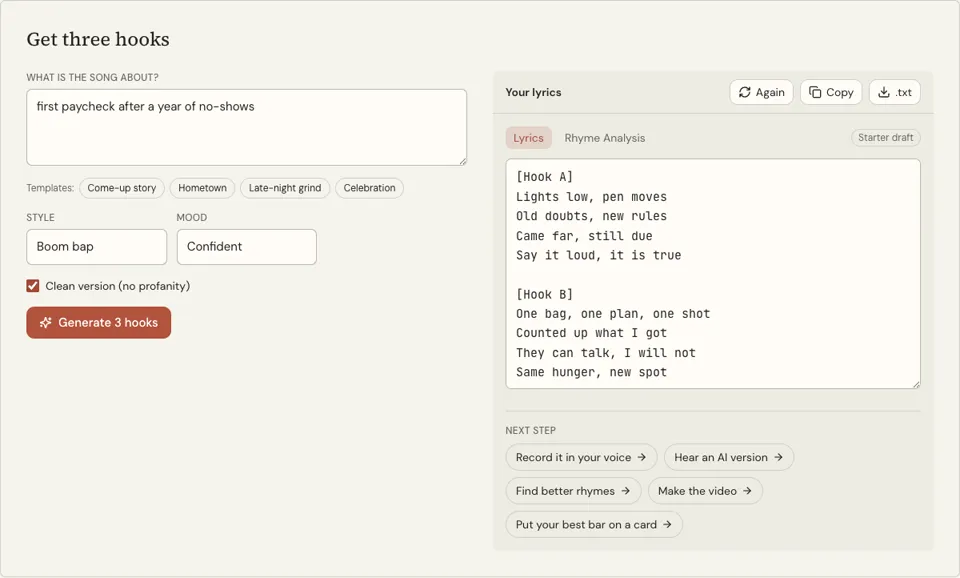
Many mixing problems start before the mic. A bar packed with syllables forces fast delivery, and fast delivery gets masked by hi-hats however you set the levels. The Song Lyrics Generator gives you a full sheet with labelled sections, an intro, two verses, the hook twice and an outro, in one of ten rap styles, free. Edit it until every line fits comfortably in one bar.
Beats with space are easier to mix vocals into. On the Rap Beat Maker you can build a pattern with fewer hats and a simpler 808, download a free four-bar WAV, and bring it into the Studio through My beat. For a full-length free beat, the Studio’s own Drum machine tab has five presets and a tempo slider from 70 to 160 BPM.