Make a Rap Music Video
After this guide you can plan a rap music video on one page, shoot it on a phone in an afternoon and cut it so the edits hit with the drums.
Guide·7 min read·With exercises
How a rap music video gets made
A rap music video is built from two kinds of footage: performance takes, where you rap the whole song to the camera, and b-roll, the extra shots of places, hands, faces and details. You film several full performances in different spots, then cut between them and the b-roll in time with the beat.
You can do this with a phone. What separates a watchable video from a shaky clip is planning: a concept you can say in one sentence, a written shot list, steady framing and the song played out loud on set so your mouth matches the recording.
Budget one afternoon to shoot and one evening to edit for a three-minute song. More locations and more people add time quickly, so a first video should stay small: you, two or three places and one friend holding the phone.
Plan it on one page
Write the concept as one sentence: "Me walking my neighbourhood at dusk, ending on the roof." If it takes a paragraph, it is too big for a first shoot. Choose two or three locations within walking distance of each other and check the light at the hour you plan to film.
Then write a shot list: a numbered list of every shot you need, with location, framing and which part of the song it covers. Twelve to twenty lines is typical. On the day you tick them off, which stops you going home without the hook filmed. Draft yours before you charge the phone. Add the time of day beside each line. Soft light in the hour after sunrise or before sunset flatters faces, while midday sun puts hard shadows under the eyes.
Set the phone up once
Decide the shape first. Horizontal suits long-form video sites, vertical suits short-form feeds. Do not mix them in one shoot. Then set these and leave them alone.
Wipe the lens before every location. It sounds minor and it removes the haze that makes phone footage look cheap.
- Rear camera, not the selfie camera: the sensor is larger and sharper
- Resolution 1080p or 4K at 24 or 30 frames per second, the same for every clip
- Tap and hold on your face to lock focus and exposure so brightness does not pump
- Aeroplane mode on, so a call cannot ruin a take
- A tripod, a gimbal, or two hands with elbows tucked against the ribs
Shoot full performance takes
Play the finished song from a speaker and rap along at full voice. Miming quietly looks wrong on screen because your neck and jaw do not move the way they do when you project. The camera’s own audio is only a guide for syncing later. It will be replaced by the real track.
At each location, film the entire song three times: one wide shot showing your whole body, one medium from the waist up, one close on the face. Three locations times three framings gives nine complete takes, which is plenty to cut between. Perform every take as if it were the only one. Move between takes as well: walk toward the lens in one, stand still in the next, so the cuts have variety. Ask your friend to keep your eyes in the top third of the frame.
Collect b-roll with a purpose
B-roll covers edits and tells the viewer where they are. Shoot ten to fifteen clips of five to ten seconds each: your shoes on the pavement, a street sign, hands counting or writing, a friend laughing, the sky. Hold each shot still for a count of five before and after any movement.
Match some b-roll to lyrics. If bar nine mentions a train, get a train. One or two literal matches per verse feel deliberate. More than that turns into a slideshow. Add a b-roll column to your shot list and note the bar each clip is for.
Cut on the beat
In any editing app, put the mastered song on the audio track first. Line up each performance take against it by matching the waveform peaks, or by clapping once on camera before every take and aligning the clap. Mute the camera audio once synced.
Cut on the snare, beats 2 and 4, or at bar lines. A calm verse can hold a shot for two to four bars. A hook can cut every bar or every two beats. Change framing with each cut, wide to close, so the jump reads as intended. Export at the resolution you shot in. Before exporting, apply one simple colour adjustment to every clip equally, so shots from different locations look like one video. Watch the result once on a phone before posting, since that is where most people will see it.
Where an AI clip fits
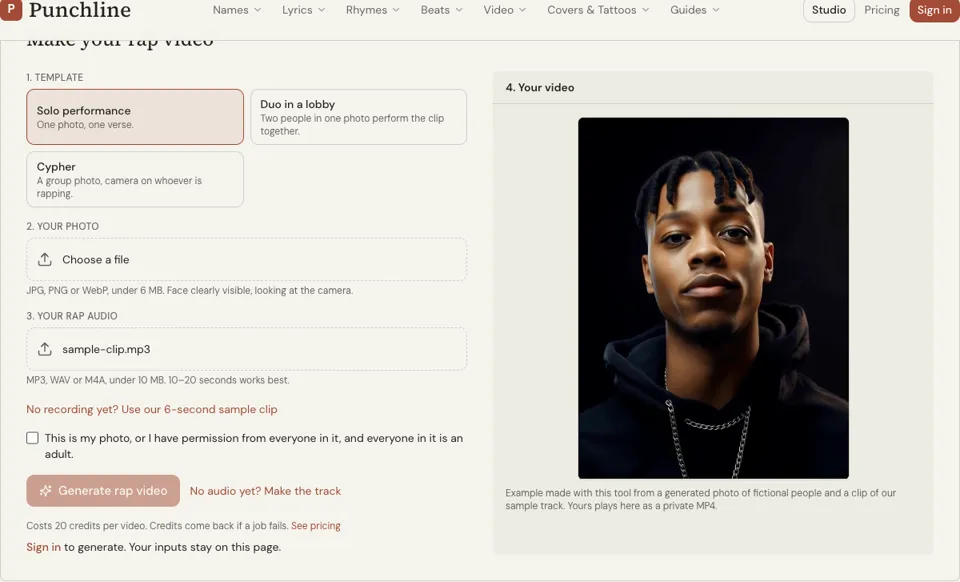
Punchline’s AI rap video generator is a different thing from a filmed video, and it helps to be clear about that. You upload your own photo with your face visible and your own audio of 10 to 15 seconds, and it returns a lip-synced MP4 in a few minutes for 20 credits up to 15 seconds.
That makes it useful for a teaser of the hook before release day, or a visual for a snippet when you have no footage yet. It will not replace locations, movement and performance in a full video. If you plan to post a teaser, pick the 15 seconds of the song you would use.
What changes when you plan a rap music video first
You come home with every shot
A shot list turns a vague afternoon into a checklist. The common failure of first videos is discovering in the edit that verse two was never filmed close up, and a list prevents exactly that.
The edit takes hours, not days
Full-song takes in consistent settings line up against the track in minutes. Random fragments in mixed frame rates and orientations have to be hunted, converted and patched together one by one.
Your performance improves
Knowing there are nine takes to get through, you rehearse the lyrics until they are automatic. Viewers forgive modest gear. They click away from an artist who visibly forgets the words.
How to practise making a rap music video today
- 01
Plan one hook in five minutes
Take the 8-bar hook of any song you have. Write a six-line shot list for it: three framings at one location plus three b-roll clips, each with the bar it covers.
- 02
Shoot it in ten minutes
Lock focus and exposure, play the hook from a speaker and film wide, medium and close takes at full voice with a clap before each. Then grab the three b-roll clips.
- 03
Cut it in five minutes
Sync the takes to the song by the clap and cut on every second snare. For a teaser without filming, the AI rap video generator makes a lip-synced clip from a photo and audio.
Shot lists and drills for a rap music video
Shot list for a 16-bar verse
1. Wide, street corner, bars 1 to 16, walking toward camera 2. Medium, same corner, bars 1 to 16, standing still 3. Close, doorway, bars 1 to 16, eyes on the lens 4. B-roll: shoes on steps, for bar 5
Three-framing drill (10 minutes)
Film the same 8 bars wide, medium and close. Keep your energy identical in all three. Watch them back with the sound off. Note which framing shows your hands and which shows your eyes.
B-roll list for one location
Street sign, held still for 5 seconds Hands writing in a notebook Feet walking past the camera, low angle Sky to rooftop tilt, slow
Cut map for an 8-bar hook
Bars 1 to 2: wide Bars 3 to 4: close Bars 5 to 6: b-roll on the snare, back to medium Bars 7 to 8: close, hold the last word
Try it: AI Rap Video Generator
Rap music video FAQ
Can I make a rap music video with just a phone?
Yes. A recent phone on the rear camera at 1080p or 4K, with focus and exposure locked and the shot held steady, is enough for a clean video. Planning, light and performance affect the result far more than the camera model.
How long does it take to make a rap music video?
A simple three-minute video with two or three nearby locations can be shot in an afternoon and edited in an evening. Each added location, extra person or effect adds time, so keep the first one small and finish it.
Do I rap live or lip sync in a music video?
You rap out loud along to the finished recording played on set. The video uses the studio track, and the camera sound is kept only to line the footage up. Rapping at full voice makes your face and body match the energy of the song.
What frame rate should I use?
Use 24 or 30 frames per second and keep it the same for every clip. If you want slow motion, film those shots at 60 and slow them in the edit, knowing that slowed performance footage will no longer match the lyrics.
How do I edit a music video to the beat?
Place the song on the timeline first and sync each take to it. Then make cuts on beats 2 and 4 or at the start of bars. Zoom in on the waveform to find the snare peaks and trim each clip to them.
Is the AI rap video tool a full music video maker?
No. It creates a short lip-synced clip from your own photo and your own audio for 20 credits up to 15 seconds (40 up to 30), and works well with 10 to 15 seconds of sound. Treat it as a teaser or snippet visual, not a substitute for filmed footage.
Related reading
Related tools
AI Rap Video Generator
Upload a photo of yourself and a clip of your rap, and get a lip-synced MP4 of you performing it in a few minutes. Each video costs 20 credits up to 15 seconds, 40 up to 30.
YouTube Banner Maker
Describe what the banner should show, add your rap name and pick a style. A wide landscape image with the subject held in the centre arrives in about 20 seconds. Each banner is 1 credit.
Album Cover Generator
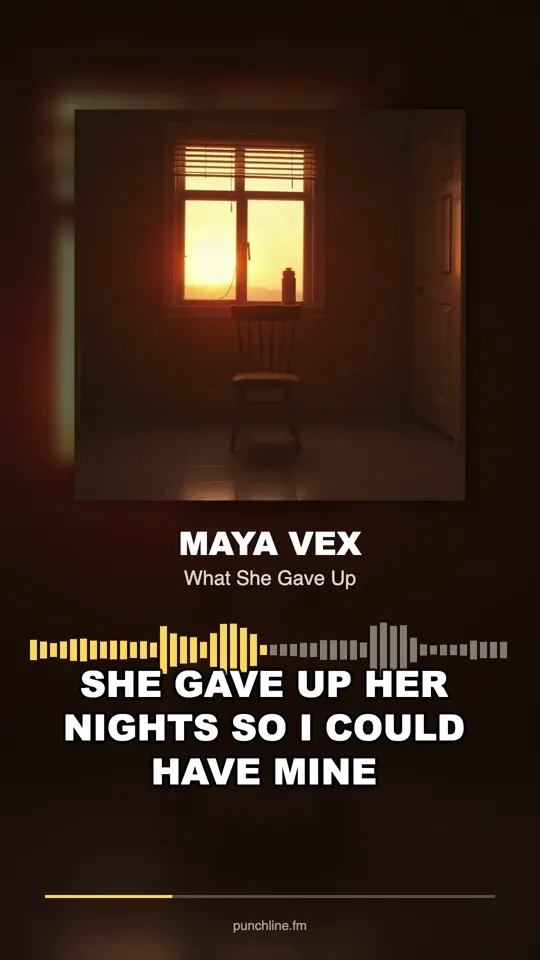
Describe what is on the cover, type the artist and title if you want them on the art, and pick a style. A square cover comes back in about 20 seconds for 1 credit.
Promote Rap Music
You will finish with a four-week release plan: what to post, when to pitch, who to contact and what to measure, using only free channels.
Last updated November 12, 2026