Mixtape Cover Maker
Type the scene, your name and the tape title, then pick one of five mixtape looks. You get a dense, loud square cover in roughly 20 seconds, and each one costs 1 credit.
1 credit per image·5 tape styles·Square format
Make your mixtape cover
3. Your result
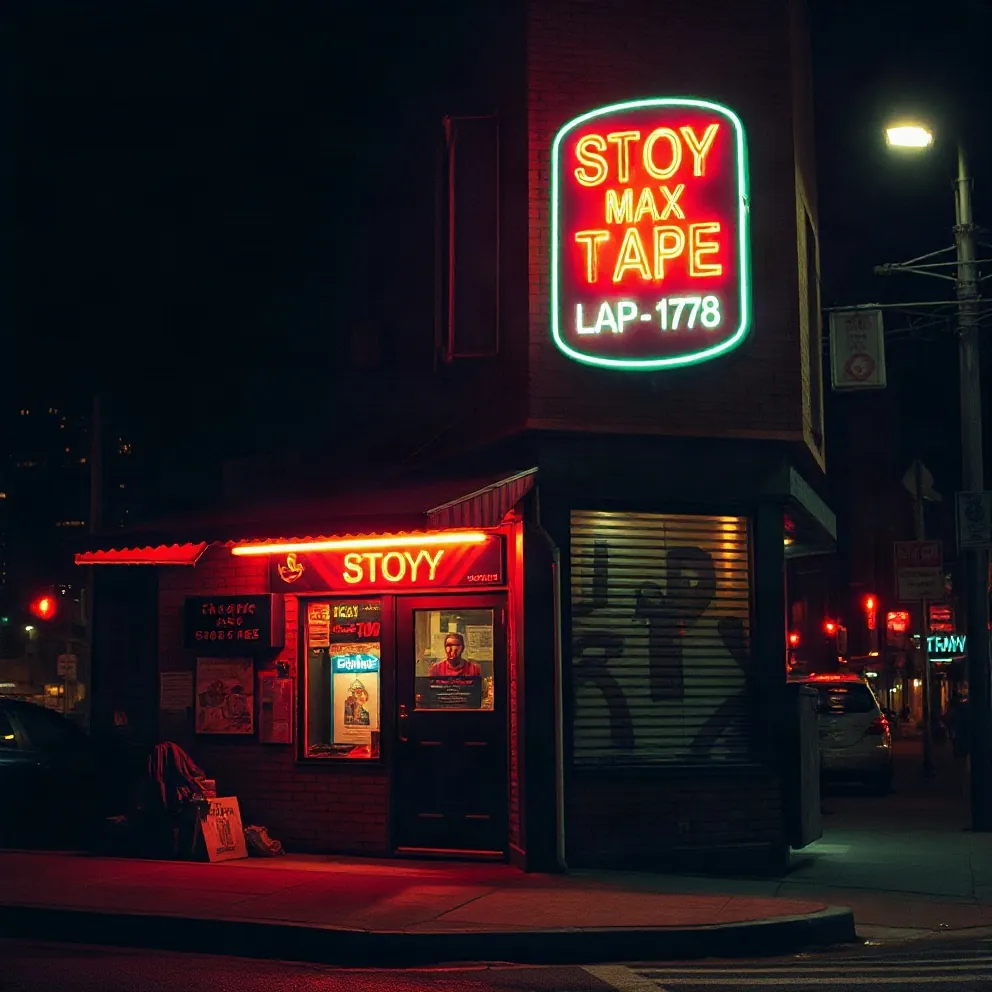
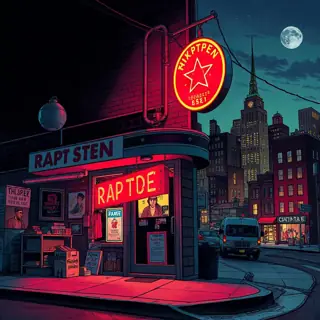
Example made with this tool: “a corner store at night, neon sign, city skyline behind”, 2000s street mixtape style. Yours appears here, usually in under 20 seconds.
See it in action
 2000s street mixtape
 Chrome type
 Comic
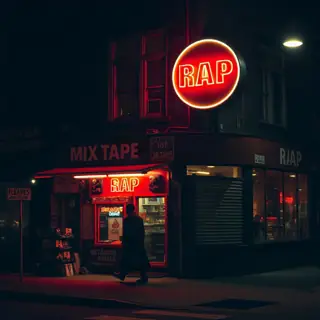 Gritty photo
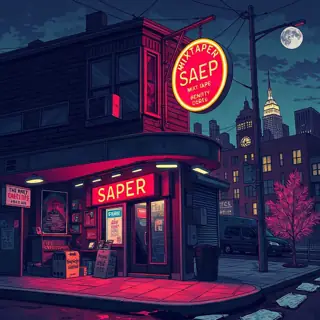 Pen & Pixel bling
How this mixtape cover maker works
A mixtape cover is not an album cover with a different title. Tapes were sold from car boots and barbershop counters, so the art had to shout. This tool is briefed for that: a layered, crowded composition with dramatic lighting and, if you give it words, a large title.
You fill in "What is on the cover?", optionally add the artist and title, and choose from five styles: 2000s street mixtape, Pen & Pixel bling, Gritty photo, Chrome type and Comic. The first is selected when the page loads, and it is the one most people mean when they say mixtape cover.
The output is a square image shown in the result panel next to the form, with a Download button above it. A rapper name you saved earlier on a name generator is filled into the title box for you, in capitals, so you only have to add the name of the tape.
Why use this mixtape cover generator
Briefed to be crowded on purpose
Where the album tool asks the model for one calm focal point, this one asks for density: stacked elements, hard light, big type. That is the visual language of the tape era, and it is hard to fake by hand.
Five styles from the tape tradition
2000s street mixtape and Pen & Pixel bling cover the classic looks, Gritty photo is the stripped-back version, Chrome type leads with metal lettering and Comic draws the whole scene as inked panels.
Volume numbers and long titles fit
The title box holds 80 characters, enough for an artist name, a tape name and "Vol. 2". Shorter still renders cleaner, so cut any word the cover can live without.
How to make a mixtape cover
- 01
Describe the scene
List two or three things that belong in your world: a corner store at night, cash on the counter, the city behind. Mixtape art can carry more objects than an album cover, so layering is welcome here.
- 02
Type the artist and title, choose a style
Write the title in capitals the way it should read on the tape. Pick one of the five style buttons. Chrome type is the one to choose when the lettering matters more than the scene.
- 03
Generate and proofread
Press "Generate mixtape cover" once you are signed in. When the image lands, proofread the title and any volume number, then download it or adjust the wording and run it again.
What to type for a mixtape cover that hits
Start from the title. If the tape is called Rent Due, the cover wants a landlord’s notice, a stack of envelopes, a door. Name the objects, then name the backdrop, then stop. The style button supplies the lightning, the lens flare and the chrome, so you do not have to ask for them.
Do not describe yourself by name or ask for a famous face, since the tool only draws anonymous figures. A silhouette, a figure from behind or a pair of hands works well in this style. Try one of these and swap in your own details.
- A corner store at night, cash on the counter, city skyline behind, storm clouds
- A hooded figure from behind standing on a pile of speakers, fire in the distance
- A front door covered in eviction notices, gold light leaking from the keyhole
- A lowrider parked under a freeway, money falling like rain
- Two hands counting bills over a mixing desk, studio lights blown out
What separates a mixtape cover from an album cover
Three things traditionally sit on a tape cover that an album leaves off: the host or DJ credit, the volume number and a line that says what the tape is, such as "the mixtape" or "hosted by". Decide which of those you need before you generate, because every extra word is another chance for the model to misspell something.
If the tape is going to streaming stores, treat it like any other release. Most stores ask for a square image of 3000 × 3000 pixels; check your distributor’s current spec. For free tape sites and social posts the requirements are looser, but the cover still needs to read on a phone.
- Artist name largest, tape title second, everything else small
- Volume number in the same place on every tape in a series
- One colour family per tape so a series looks like a set
- No DJ, label or brand logo you do not have permission to use
Mixtape cover maker FAQ
Is the mixtape cover maker free to use?
It is a paid tool. A mixtape cover costs 1 credit, and generating requires an account. You can fill in the form before signing in, and what you typed stays on the page while you do.
Can it add a "hosted by" DJ line or a parental advisory mark?
You can type a short hosted-by line in the title box and the model will try to set it. It will not reproduce real brand marks or official logos. Add any label you are entitled to use afterwards in an image editor.
The words on my cover came out wrong. What now?
That happens with AI image models, and longer titles fail more often. Generate again, trim the title to the artist and tape name, or clear the text box to get art with no words and set the type yourself.
Can I put myself on the cover?
Not through this tool. It does not take photo uploads and it is told not to draw real people. Describe an anonymous figure, or generate the background here and add your own photo in an editor.
Which style should I pick for a drill or trap tape?
Gritty photo suits cold, minimal drill tapes. Pen & Pixel bling and 2000s street mixtape suit trap tapes that want money, cars and weather in the frame. Render one of each for two credits and compare.
Related reading
Related tools
Album Cover Generator
Describe what is on the cover, type the artist and title if you want them on the art, and pick a style. A square cover comes back in about 20 seconds for 1 credit.
Cover Art Maker
Give the song one image and, if you like, its title. The tool returns simple square cover art made to stay readable as a thumbnail, usually within 20 seconds, for 1 credit.
Make a Mixtape
You will be able to plan a mixtape from a folder of songs: which tracks make the cut, what order they go in, what the beats require and how to package it.
Album Name Generator
Press Generate for five album titles in about a second. Add your artist name to get self-titled options such as "The Education Of" plus your name. Free, no sign-up, built in your browser.
Last updated November 12, 2026