Beat Maker Online Free
Open the page, press Play and tap squares to build a beat from six drum sounds. Nothing to install, no account and no cost. A starter beat is already loaded.
Free·Nothing to install·No sign-up·Works on phones
Make a beat
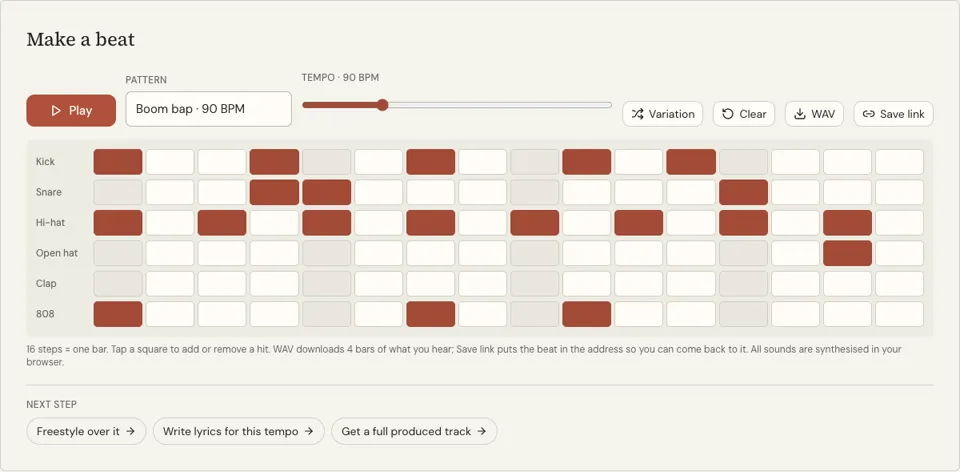
16 steps = one bar. Tap a square to add or remove a hit. WAV downloads 4 bars of what you hear; Save link puts the beat in the address so you can come back to it. All sounds are synthesised in your browser.
See it in action
What this free online beat maker gives you
A beat maker in its simplest form: a grid where each row is a drum and each square is a moment in time. Tap a square and that drum plays there every time the loop comes round. Six drums are on offer: kick, snare, hi-hat, open hat, clap and a deep 808 bass hit.
So you are not staring at a blank page, a starter beat is loaded when you arrive, running at 90 beats per minute. Four more starters are in the Pattern menu. The Tempo slider makes everything faster or slower between 60 and 180, Variation reshuffles a few hits, and Clear wipes the grid.
It runs entirely in the browser. There is no app to install, no file to unzip and no sign-up form, and the sounds are created on your device, so nothing has to download. One honest limit: the WAV button saves only four bars of your beat, not a whole song.
Why use this beat maker online for free
Free without a catch
There is no trial clock, no locked sounds and no account wall on this tool. The paid part of the site is separate AI generation, and you can ignore it.
First beat without a tutorial
If you can tap a square, you can make a beat. The loaded pattern shows what a working rhythm looks like, and each change you make is heard on the next pass of the loop.
Runs on what you already have
A school laptop, a library computer or a phone will do. Because nothing is installed, it also works where you are not allowed to add software.
How to make a beat online for free
- 01
Press Play
A beat starts looping straight away. Watch the highlight sweep from left to right: that is one bar, and it repeats until you press Stop.
- 02
Tap squares to change it
Lit squares play, dark squares are silent. Turn a few off, turn a few on, and listen. Start with the top two rows, kick and snare, since they shape the beat most.
- 03
Pick your speed
Drag Tempo left for slow and right for fast. Around 90 suits a relaxed head-nod, 120 feels like dance music and 140 and up feels urgent.
How to make your first beat in five moves
Press Clear and build from nothing once, because it teaches more than editing does. Put a kick on the first square. Put a snare on the fifth and the thirteenth. Fill every second square of the hi-hat row. Press Play: that is already a beat, and the skeleton behind a great many songs.
Now make it move. Add a second kick somewhere between the two snares and shift it left or right until the groove feels good. Finish with one open hat near the end of the row. From here, every change is a matter of taste, and the starters in the Pattern menu show five different answers.
- Kick on square 1
- Snare on squares 5 and 13
- Hi-hat on every second square
- One more kick between the snares
- One open hat near the end
What a free browser beat maker can and cannot do
It is a sketchpad. You can find a rhythm, learn how beats are counted, practise rapping or singing over a loop and show an idea to a friend on the spot. For that, a grid of drums is all you need.
It is not a studio. There are no melodies, no recording of your voice and no mixing, and the WAV export stops at four bars. When an idea is worth finishing, rebuild the pattern in a full music app, or have the AI beat maker generate an instrumental you can download.
Beat maker online free FAQ
Is this beat maker really free?
Yes. Making beats on this page costs nothing and needs no account, email or card. Credits on Punchline apply only to the AI tools that render songs, images and videos.
Do I need to download or install anything?
No. It is a web page that runs in a current browser on a computer, tablet or phone. The drum sounds are produced by the browser itself, so there is not even a sound pack to load.
Can I download the beat?
Yes. Press WAV and a four-bar file of your beat saves to your device, free and with no account. It is WAV only, not MP3, and never longer than four bars. Save link gives you an address that brings the beat back. For a full produced track you can download, the AI beat maker is a paid tool at 4 credits.
I have never made music. Where do I start?
Press Play and change one square at a time so you can hear what each change does. When that feels familiar, press Clear and follow the five moves in the section above to build a beat from an empty grid.
Can I make any genre, or only hip hop?
The starters are hip hop styles, but the grid is neutral. A kick on squares 1, 5, 9 and 13 gives a dance beat, and slowing the tempo with fewer hits gives something calmer.
How is this different from the online drum machine page?
The tool is the same. This page explains it for someone making a first beat; the online drum machine page uses sequencer terms such as steps and swing, and the rap beat maker page focuses on rap patterns.
Related reading
 How to Record a Rap Song Online FreeHow to record a rap song online free in a browser: pick a beat, set up headphones, sync the mic, keep the right take, then mix and download a WAV or MP3.
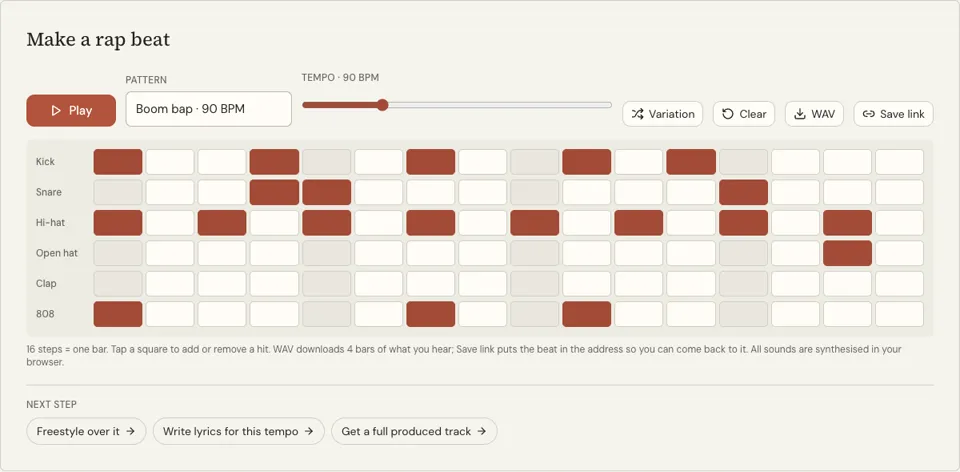 Rap Beats for Beginners: What to Rap Over and BuildRap beats for beginners: which tempo and drums to rap over first, and how to build a boom bap and a trap pattern on a free 16-step grid in ten minutes.
Related tools
Online Drum Machine
A 16-step drum machine that runs in your browser: six sounds, five starting patterns and tempo from 60 to 180 BPM. Press Play and tap the grid. Free, no sign-up.
Rap Beat Maker
Press Play and a boom bap loop starts at 90 BPM. Tap squares on the 16-step grid to change the kick, snare, hats, clap and 808, then write to it. Free, no sign-up.
AI Beat Maker
Pick a style, press Generate beat and get a rap instrumental in about a minute, with no vocals, as an MP3 download. Each beat costs 4 credits.
Make Rap Beats
You will be able to read a 16-step grid, program a boom bap and a trap drum pattern from memory, and place a bass line that follows the kick.
Lofi Beat Maker
Press Play for a slow, swung drum loop at 78 BPM, then tap the 16-step grid to reshape it. Six drum tracks, free, no sign-up.
Last updated November 12, 2026