YouTube Banner Maker for Rappers
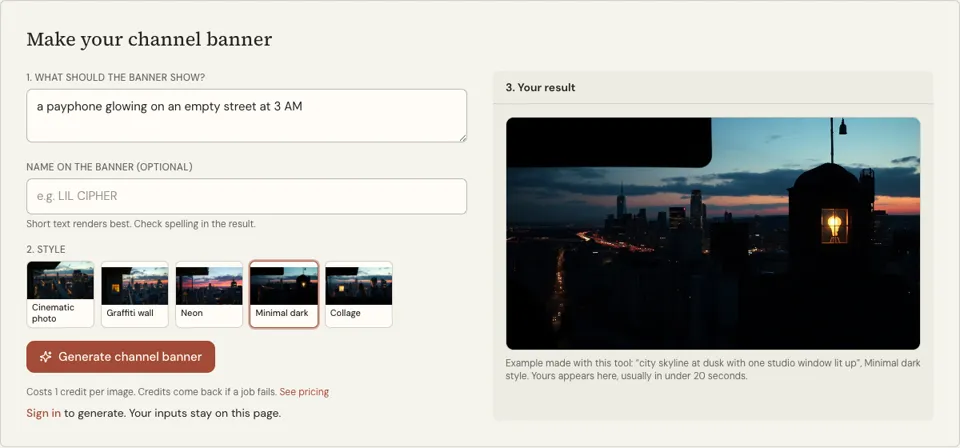
Describe what the banner should show, add your rap name and pick a style. A wide landscape image with the subject held in the centre arrives in about 20 seconds. Each banner is 1 credit.
1 credit per image·Landscape format·5 banner styles
Make your channel banner
3. Your result
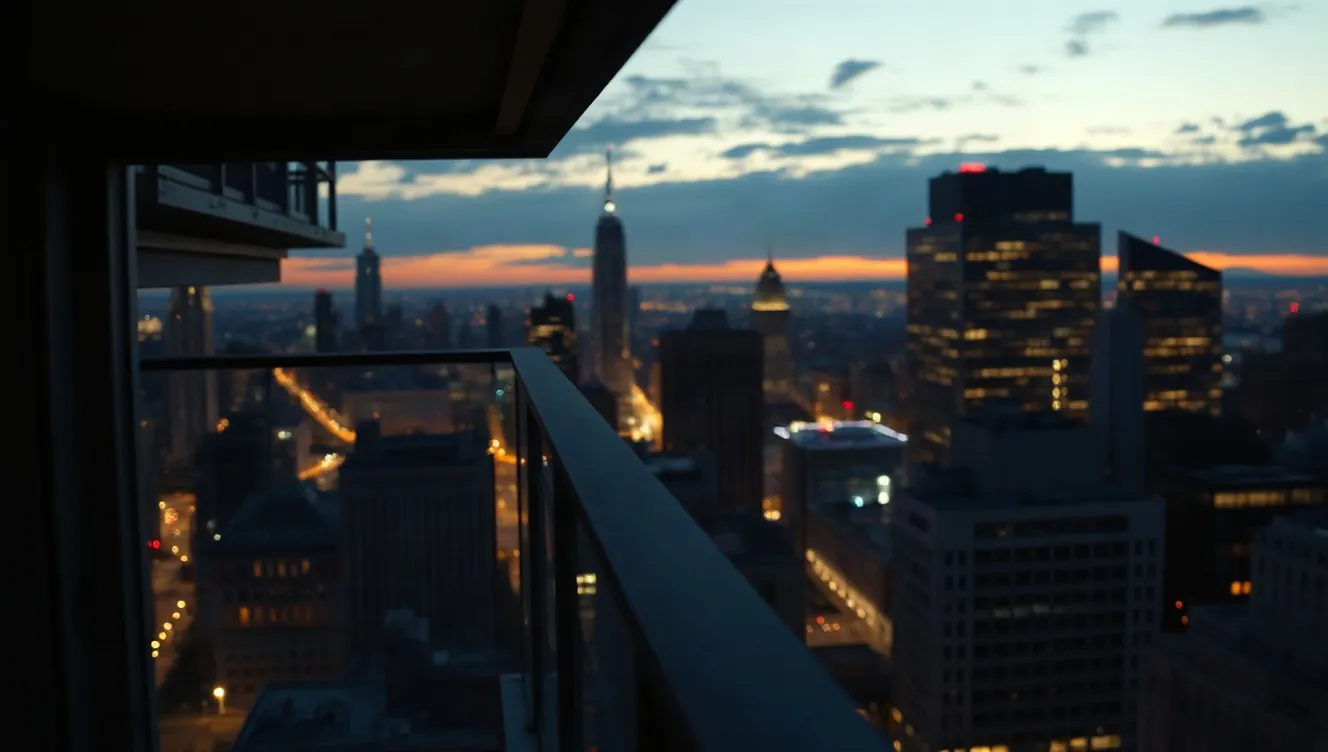
Example made with this tool: “city skyline at dusk with one studio window lit up”, Cinematic photo style. Yours appears here, usually in under 20 seconds.
See it in action
 Cinematic photo
 Collage
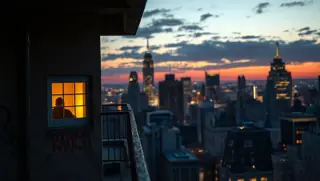 Graffiti wall
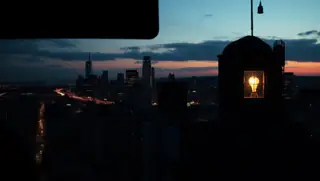 Minimal dark
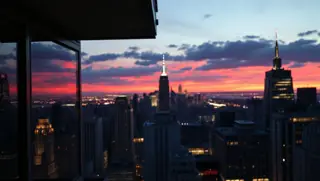 Neon
What this YouTube banner maker for rappers does
A channel banner is the widest, emptiest image an artist has to fill, and most of it gets cropped. This tool generates a wide landscape picture from your answer to "What should the banner show?" and tells the model to keep the subject in the centre third, where it survives the crop.
The optional "Name on the banner" box puts your rap name on the image. If you saved a name with "Use this" on a name generator, it is filled in for you in capitals. Five styles are available: Cinematic photo, Graffiti wall, Neon, Minimal dark and Collage.
The output is a wide landscape image with a Download button. YouTube publishes its own banner dimensions and a safe area, and they change from time to time, so compare the downloaded file with the current guidance in YouTube Studio and resize or crop it there.
Why use this banner maker for a rap channel
Subject kept in the centre third
The instruction is built into every request. A phone shows only a narrow middle strip of the banner, so a studio window or a name placed at the far left would simply never be seen there.
Styles that match rap channels
Cinematic photo for a moody skyline, Graffiti wall for a painted backdrop, Neon for night-time glow, Minimal dark for a quiet header that lets thumbnails do the talking, Collage for a busy scrapbook look.
Your name carried over
A rapper name saved on the name generators appears in the name box automatically, so the banner, the cover tools and the lyrics tool all work from the same identity without retyping.
How to use the YouTube banner maker for rappers
- 01
Describe the banner scene
Write one wide scene with something of interest in the middle, such as a city skyline at dusk with a single studio window lit up. Avoid details that only matter at the edges.
- 02
Add your name and a style
Type the name to appear on the banner, or leave the box empty for a text-free background. Then choose among the five styles; Cinematic photo is selected to begin with.
- 03
Generate, then preview the crop
Sign in and press "Generate channel banner". Download the image, upload it in YouTube Studio and use the preview there to confirm the name sits inside the area shown on all devices.
How to describe a banner scene that survives cropping
Think in three vertical bands. The middle band holds the one thing that matters: a lit window, a figure, a sign. The left and right bands hold atmosphere that can be lost without anyone noticing, like sky, wall, road or crowd blur. Say that in the description: "in the centre" is a phrase the model understands.
Choose a scene that says what kind of channel it is. Studio gear says music, a block at night says street, a stage says performance. Here are scene descriptions to paste into the first box.
- City skyline at dusk with one studio window lit up in the centre
- A long brick wall, a single microphone on a stand in the centre, empty street
- Rows of speakers fading into fog, a lone figure from behind in the middle
- A night market street with a glowing sign in the centre, blurred crowd either side
- A mixing desk seen from above, centred, cables trailing off to both edges
YouTube banner safe area: keep the name in the centre third
YouTube shows the same banner file differently on each screen. A TV shows nearly the whole image. A desktop browser shows a wide, short strip across the middle. A phone shows a narrower piece of that strip. Only a small central rectangle appears everywhere, and that is the safe area: keep the name in the centre third and it will be inside it.
Text is the fragile part. A name in the image can be misspelled by the model, and it can be sliced by the crop. One reliable approach is to generate the banner with the name box empty, then add your name in an editor at the exact spot the YouTube preview shows as safe.
- Name and any tagline in the central third, vertically centred
- Nothing important within the outer quarters of the image
- Banner colours that match your latest cover art
- Check the result on a phone, not only on the computer you made it on
Youtube banner maker FAQ
Is the YouTube banner maker for rappers free?
No. A banner uses 1 credit per image and generating requires a signed-in account. Jobs that fail are refunded in credits automatically, and the price of credit packs is listed on the pricing page.
Is the image the exact size YouTube requires?
The tool makes a wide landscape image and does not promise a pixel size. YouTube sets its own minimum dimensions and file limits and updates them, so check the current figures in YouTube Studio and upscale or crop the download to match.
Why is my name cut off on mobile?
Phones display only the central strip of a channel banner. If the name sits outside that strip it is cropped. Regenerate with a description that places the subject in the centre, or add the name yourself inside the safe area.
Will my rap name be spelled correctly on the banner?
Check before you upload. Image models can get letters wrong, particularly in decorative styles such as Graffiti wall and Neon. If the name is off, run it again or generate a text-free banner and typeset the name in an editor.
Can I use the same banner on other platforms?
You can, but each platform crops headers to a different shape, and some want a much wider strip. A centred subject helps everywhere. Check each platform’s current header guidance and crop the image to suit.
Can the banner include a photo of me or another artist?
There is no photo upload, and the tool will not draw real people or celebrity likenesses. Generate the scene here and add your own photo in an image editor, or use an anonymous figure seen from behind.
Related reading
Related tools
DJ Logo Maker
Type your DJ name, suggest a symbol if you want one, and pick a logo style. A centred logo concept on a black square comes back in about 20 seconds and costs 1 credit.
Album Cover Generator
Describe what is on the cover, type the artist and title if you want them on the art, and pick a style. A square cover comes back in about 20 seconds for 1 credit.
AI Rap Video Generator
Upload a photo of yourself and a clip of your rap, and get a lip-synced MP4 of you performing it in a few minutes. Each video costs 20 credits up to 15 seconds, 40 up to 30.
Promote Rap Music
You will finish with a four-week release plan: what to post, when to pitch, who to contact and what to measure, using only free channels.
Last updated November 12, 2026