How to Make a Mixtape
You will be able to plan a mixtape from a folder of songs: which tracks make the cut, what order they go in, what the beats require and how to package it.
Guide·7 min read·With checklist
How to make a mixtape, and what one is now
To make a mixtape, record more songs than you need, keep the 8 to 12 strongest, put them in an order that holds attention from the first track to the last, give the project a title and a cover, and release it where your listeners already are.
A mixtape used to mean rapping over other people’s instrumentals and handing out copies for free. Today the word mostly describes attitude: a looser, faster project than an album, made to show range and build a following, with less pressure on every track to be a single.
The practical difference from an album is in the planning. An album is built around a concept and a campaign. A mixtape is a snapshot of where you are now. Both need beats you have the right to use if they go on streaming services.
Pick a direction before you pick tracks
A mixtape can be loose, but it should not be random. Decide on one thread: a sound (all dusty 90 BPM beats), a period (everything written this winter), or a purpose (showing five different flows). The thread tells you which songs belong.
Write the thread in one sentence and a working title above it. Then list every finished or nearly finished song you have. Aim for a list of 15 to 20 so you have something to cut.
Set a finish date as well. Mixtapes are meant to be quick, and a project with no deadline tends to grow until the earliest songs sound dated to you.
Cut to 8 to 12 tracks
Eight to twelve tracks is 25 to 40 minutes, long enough to feel like a project and short enough to be played through. Play every candidate once and score it honestly, then cut from the bottom.
Ask two people whose taste you trust to rank the candidates without telling them your own order. Where their lists agree with each other and not with yours, believe them.
- Would you play this for a stranger first? Those are your openers and singles.
- Does it repeat a subject or tempo another track does better? Keep the better one.
- Is the recording quality close to the rest? One muddy track lowers the whole tape.
- Does it fit the thread you wrote down? If not, save it for the next project.
Sequence it like a set
Track order decides whether people reach the end. Put a short, high-energy song first, under two and a half minutes if you have one. Put your strongest song second or third, where most listeners still are. Avoid placing two songs with the same tempo and mood back to back.
Place the slowest or most personal track around two thirds of the way through, and close with something that either lifts or leaves a clear last line. Write the titles on cards or in a note, reorder them three ways, and listen to only the last ten seconds of each track into the first ten of the next.
Short interludes or skits of 20 to 40 seconds can link songs that would otherwise clash, but use two at most. Listen to the whole sequence once on a walk, without skipping, before you lock it.
Sort out the beats
This is where old-style mixtapes and current releases differ most. If you rap over an instrumental from someone else’s commercial song and upload it, it can be taken down, and stores will not accept it.
The safe routes are beats you made, beats a producer made for you, or beats you licensed. For anything you did not make, get permission in writing that says what you may do with the song, and keep it. This guide is not legal advice; read the licence terms themselves.
- Original: made by you or a collaborator, with the split agreed in writing
- Licensed: leased or bought from a producer, with the terms saved as a file
- Free for use: only if the producer’s written terms cover your kind of release
- Samples inside a beat: ask the producer whether they are cleared
Title, cover and track list
The title should be sayable in one breath and searchable. The cover has to work as a small square on a phone: one image, the title, your name. Design it after the sequence is set, so it matches the mood of the tape and not just one song.
Check the spelling of every track title and every featured name, and keep the same spelling everywhere. Build a simple sheet with track number, title, length, producer, guests and whether the song is explicit. Your distributor will ask for all of it.
Match the loudness of the final mixes too. A track that is noticeably quieter or louder than its neighbours makes listeners reach for the volume, and that is often the moment they leave.
Release and follow through
Decide where it lives. Streaming services through a distributor suit tapes with fully cleared beats. Free hosting sites and video platforms suit looser projects, within their rules. Either way, set the date three to four weeks ahead and release one track first as a single.
On release day post the cover, the track list and a 15-second clip of the opener. Then choose two more tracks to push with clips over the next month, so the tape stays alive after the first weekend.
Ask every guest and producer to share it on the same day, and give them the clip and link in advance.
Check tempo and key between neighbouring tracks
DJs who build mixtapes sort songs by BPM and musical key before they think about anything else, and anyone learning how to make a mixtape of their own songs can borrow the habit. Add two columns to your track sheet: tempo and key. Most recording software shows both, and a producer can tell you in one message.
Songs sit comfortably next to each other when the tempos are within about 8 BPM, or when one is double the other, such as 70 into 140. A jump from 85 to 150 is fine once or twice as a deliberate change of gear, but three in a row feels like a shuffled playlist.
Key matters most where one song ends on a held note or a melody and the next begins with one. Two keys that clash make the new track sound out of tune for its first few seconds. Fix it by reordering, or by starting the second track on drums alone.
- Same key, or a major key and its relative minor: the smoothest pairing
- Keys a fifth apart, such as A minor into E minor: usually safe
- Keys one semitone apart: avoid, or separate them with a skit or a drum intro
- Unknown key: play the last chord of one and the first of the next together and trust your ear
Choose a transition for every join
A ten-track tape has nine joins, and each one is a small decision. Write the type of transition next to each pair on your sheet so nothing is left to the default gap your software adds.
Set the gaps by ear, not by a fixed number. As a starting point, leave 1 to 2 seconds between songs of similar energy, half a second or less when you want momentum, and 3 seconds before the slow track so it has room. Trim silence and count-ins from the start of every file so each song begins within a quarter of a second of pressing play.
- Hard cut: the next song starts on the first beat after the last one stops. Good after a short, loud track.
- Fade out: lower the last 4 to 8 bars gradually. Use it for beats that loop without a real ending.
- Crossfade: overlap the outro and intro by 2 to 4 bars. Works when tempo and key agree.
- Tail: let a reverb, a last word or a producer tag ring into silence before the next track.
- Spoken link: a voice note or a few bars of drums. A 4-bar loop from the rap beat maker downloads as a WAV you can repeat under it.
Record and edit so it sounds like one session
Listeners forgive a rough tape, but they notice when track four sounds like it was made in a different building. Keep the same microphone, the same distance from it (about a hand’s width) and the same room position for every song. Save one vocal chain as a template and start each session from it.
Record with peaks around -12 to -6 dB so nothing distorts, and keep at least three full takes of each verse. Edit in passes: first cut breaths and clicks that distract, then tune the timing of doubles and ad-libs against the lead, then set levels. Finish all the editing on one song before you open the next mix.
Export each final mix as a 16-bit or 24-bit WAV at 44.1 kHz, the format most distributors ask for, and make MP3 copies only for sending previews. Then play the first 20 seconds of every track back to back at one volume setting. Adjust any that jump out and export those again.
Make a continuous version and a physical copy
The classic format is one unbroken file, and it still suits video platforms and free hosting. Drop the finished tracks onto one timeline in sequence, apply the transitions you planned, and export a single file with a time-stamped track list in the description. Keep the separate tracks for streaming services, which need one file per song.
Physical copies are optional, but they give people at a show something to take home. A standard audio CD holds up to 80 minutes. A C60 cassette holds 30 minutes a side, so split the sequence at a natural pause near the middle and check that neither side runs over. A USB stick or a card with a printed QR code costs less and carries the cover with it.
For print, a CD front insert is about 12 centimetres square. Art from the mixtape cover maker can be the starting point for it; ask the print shop what resolution and margins they need before you send a file.
Five late problems and their fixes
Most problems show up in the last week, when the tape is heard in order for the first time. These are the common ones, each with a fix that does not require recording anything new.
Run through the list with the full sequence playing on phone speakers, in a car and on earbuds. If a fix changes the running order, update the track sheet and the back cover text on the same day.
- Two songs open with the same producer tag back to back: move one, or trim the tag from the second.
- One track is far quieter than the rest: re-export it louder instead of turning the others down.
- A hook from track three is stuck in your head during track four: the gap is too short. Add a second.
- The tape sags in the middle: swap the sixth track with a faster song from the cut list.
- The running time passed 45 minutes: remove the track you skip most often when you listen alone.
Three mistakes people make with a mixtape
Including everything
Twenty tracks feels generous to the artist and exhausting to the listener. Most people will sample three songs. Cutting hard makes it more likely that those three are your strongest.
Leaving beat permissions until upload day
Finding out at the last step that a beat cannot be distributed means pulling a track and breaking the sequence. Confirm every instrumental in writing before you record the final vocals.
Opening slowly
A long spoken intro followed by a mid-tempo song loses new listeners in the first minute. Lead with energy and let the slower, deeper material come once they have decided to stay.
How to start making your mixtape today
- 01
List and cut (8 minutes)
Write down every song you could include. Score each from 1 to 5 on the four questions above and circle the top ten. Write your one-sentence thread above the list.
- 02
Name and order it (6 minutes)
Use the album name generator for title ideas and keep one you can explain. Then put your circled tracks in order: energy first, strongest second, slowest at two thirds.
- 03
Draft the cover (5 minutes)
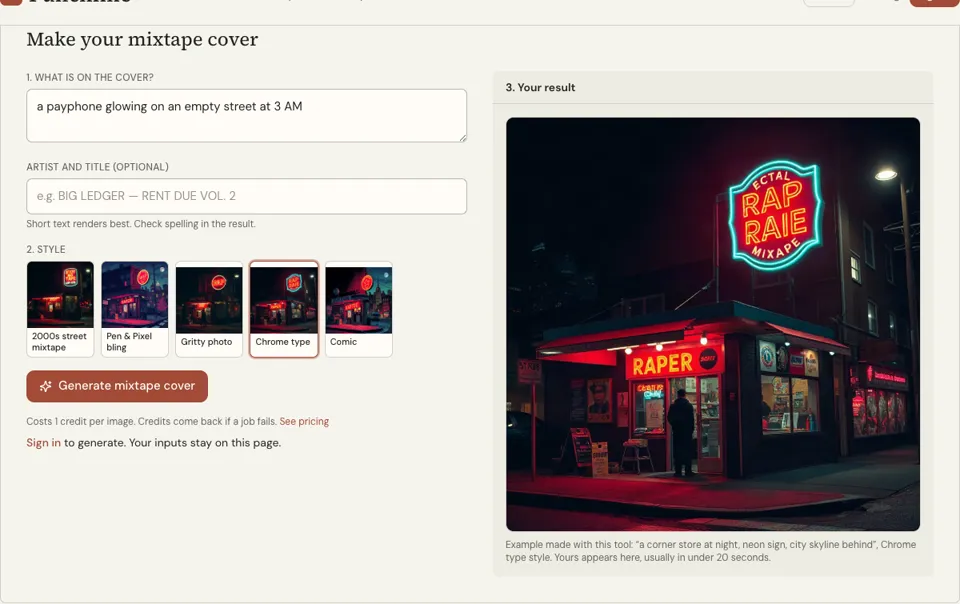
Open the mixtape cover maker, describe one image that matches the thread, pick a style and add the title as text. Each image costs 1 credit. Check the spelling on the result.
Mixtape planning examples
Ten-track sequence by energy
1. Short opener, fast 2. Strongest song 3. Single 4. Mid-tempo story 5. Guest track 6. Hard, minimal beat 7. Slow, personal 8. Lift: bounce record 9. Second single 10. Closer with a clear last line
One-sentence thread
Ten songs written on night shifts between January and March, all under 95 BPM, all recorded in the same room.
Track sheet row
03 | Night Bus | 2:41 | prod. by a named collaborator, licence saved | feat. none | clean
Release checklist
Beat permissions saved in one folder Final mixes at matching loudness Cover checked at thumbnail size Track sheet complete Single chosen and dated Three clips filmed
Try it: Mixtape Cover Maker
How to make a mixtape FAQ
What is the difference between a mixtape and an album?
Today the difference is mostly intent. A mixtape is a looser project that shows where an artist is now, often released quickly. An album is planned around a concept with a longer campaign. Both can appear on streaming services.
How many songs should a mixtape have?
Eight to twelve is a good range, around 25 to 40 minutes. Fewer than seven is usually called an EP. More than fourteen is hard for new listeners to finish.
Can I use other artists’ beats on my mixtape?
Not safely without permission. Rapping over an instrumental from a released song and uploading it can lead to removal. Use beats you made or licensed, and get permission in writing for anything you did not create.
Do I need a studio to make a mixtape?
No. A quiet room, a decent microphone, headphones and recording software are enough. What matters is consistency: record every track in the same setup so the tape sounds like one project.
How do I make a mixtape cover?
Choose one image that matches the mood, add the title and your name in large type, and test it at thumbnail size. The mixtape cover maker on Punchline generates options for 1 credit per image.
Where can I release a mixtape?
Through a distributor to streaming services if every beat is cleared for that, or on free music hosting and video platforms within their rules. Many artists do both: the cleared tracks on streaming, the rest elsewhere.
How long should the gap between mixtape tracks be?
There is no fixed rule. One to two seconds suits songs of similar energy, under half a second keeps momentum between two fast tracks, and about three seconds gives a slow or personal song space. Set each gap by ear while you listen to the join.
Can I put my mixtape on a CD or cassette?
Yes. An audio CD holds up to 80 minutes and a C60 cassette holds 30 minutes per side, so an 8 to 12 track tape fits on either. Duplication shops will ask for WAV files and print-ready artwork. You still need the rights to every beat and sample on it.
Related reading
Related tools
Mixtape Cover Maker
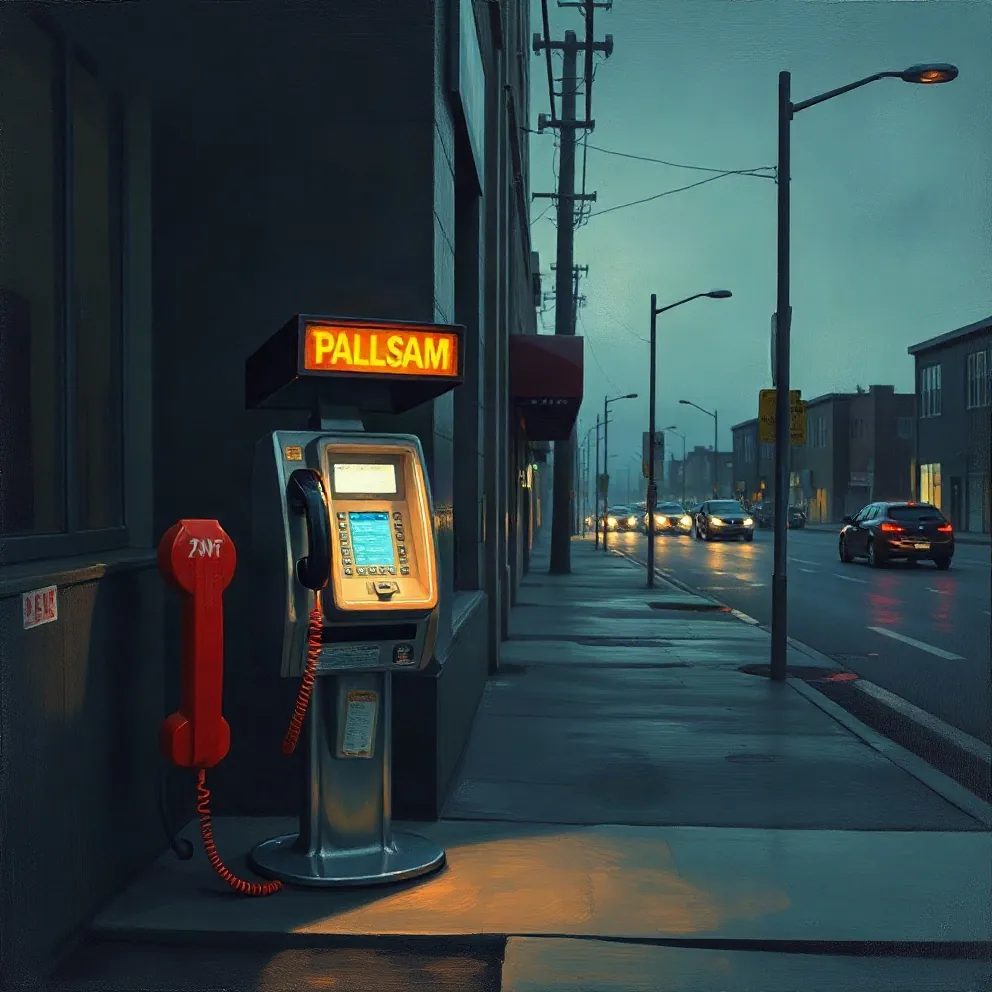
Type the scene, your name and the tape title, then pick one of five mixtape looks. You get a dense, loud square cover in roughly 20 seconds, and each one costs 1 credit.
Album Name Generator
Press Generate for five album titles in about a second. Add your artist name to get self-titled options such as "The Education Of" plus your name. Free, no sign-up, built in your browser.
Promote Rap Music
You will finish with a four-week release plan: what to post, when to pitch, who to contact and what to measure, using only free channels.
Design an Album Cover
You will be able to brief or build a cover that reads at phone size: one image idea, clear type, a limited palette and a file your distributor will accept.
Last updated November 13, 2026